
Why E-Ink Screens Don’t Need Backlight (and Why That’s Good for Your Eyes)

Hold a Kindle next to a phone and the difference is obvious before you read a single word. The phone glows. The Kindle just sits there, looking like a page. That’s not a stylistic choice by the manufacturer — it’s a completely different way of putting an image on a screen, and it’s why e-ink devices don’t have a backlight at all.
Key takeaways
- E-ink is a reflective display: it bounces ambient light back to your eyes, the same way paper does. LCD and OLED screens are emissive: they generate their own light and shoot it at you.
- Because there’s no backlight to power, e-ink devices can run for weeks on a single charge and hold an image with zero electricity once it’s drawn.
- Some e-ink devices add a front light for reading in the dark — that’s a different piece of hardware from a backlight, and it still works by reflection, not emission.
- Research on light exposure and eye comfort supports why reflective screens feel easier to read for long stretches, though no display technology has been shown to prevent eye conditions.
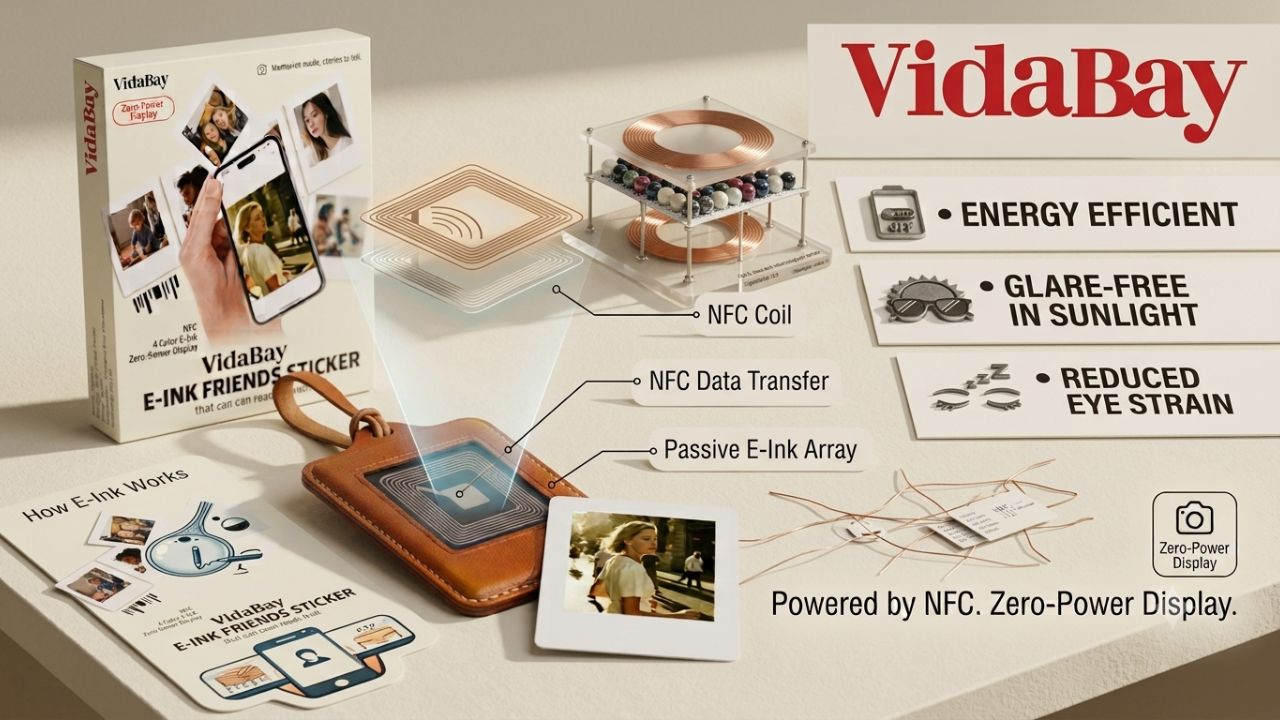
- The same no-battery, reflective-display principle now powers things well beyond e-readers, including NFC-charged photo displays that update with a tap of your phone.
What “no backlight” actually means
A backlight is a light source sitting behind the screen, shining forward through pixels to make an image visible. Every phone, laptop, and TV works this way. E-ink doesn’t have one of those layers at all.
Instead, an e-ink screen is built from millions of tiny microcapsules, each containing black and white particles suspended in fluid. A small electric charge pulls one color to the surface and pushes the other down, and that arrangement stays put — no continuous power needed — until the next charge rearranges it. Light from the room, a lamp, or the sun hits that surface and bounces back to your eye, which is exactly how printed ink works.
That single difference explains almost everything people notice about e-ink: why it reads well outdoors, why it’s slow to update, and why an e-reader can go a month without charging.
Reflective vs. emissive, side by side
| E-ink (reflective) | LCD / OLED (emissive) | |
| Light source | Ambient light, reflected | Backlight or self-lit pixels |
| Outdoor readability | Excellent, gets better in bright sun | Poor, washes out in direct light |
| Battery life | Days to weeks | Hours |
| Color range | Limited to monochrome or a handful of pigments | Full color |
| Refresh speed | Slow, visible flash on some models | Instant, smooth video |
| Best for | Reading, static images, low-power displays | Video, apps, fast-moving content |
Neither is objectively better. They’re built for different jobs, and most people end up owning both.
What this means for your eyes
Digital eye strain, sometimes called computer vision syndrome, shows up as tired eyes, headaches, and blurred vision after long stretches on a screen. Optometric research puts it among the most common complaints tied to extended device use, and children report it at especially high rates in recent surveys.
A big part of the mechanism is the light itself. A backlit screen sends a steady stream of light directly into your eyes, often with a blue-heavy spectrum, at a fixed focal distance. A 2023 study out of Harvard’s T.H. Chan School of Public Health, done in cooperation with E Ink Corporation, found that brighter and cooler light causes more measurable stress on retinal cells than warmer, dimmer light does — which is the underlying reason reflective, low-emission displays are generally considered gentler for long reading sessions.
None of this means e-ink prevents eye strain or treats an eye condition. If you’re dealing with persistent eye discomfort, that’s a conversation for an eye care professional, not a display spec sheet. What the research does support is more modest: less direct light hitting your eyes, at lower intensity, tends to feel more comfortable over time.
Wait — don’t some e-ink devices have a light?
Yes, and this is where a lot of articles get sloppy. Devices like the Kindle Paperwhite or Kobo Libra have a frontlight: a thin strip of LEDs along the edge of the screen that shines light across the surface, not through it.
That’s structurally different from a backlight. The light still bounces off the reflective ink layer before it reaches your eye — it’s just supplementing the ambient light rather than replacing your eyes’ need for it entirely. Turn off a frontlight in a well-lit room and the screen looks and behaves exactly like a non-lit e-ink display, because it is one.
The trade-offs nobody should skip
E-ink isn’t free of downsides, and a fair article should say so.
- Refresh speed. Rearranging those microcapsules takes time, so page turns and scrolling have a visible flash or lag that a phone screen never shows.
- Color limits. Most e-ink screens are black, white, and gray. Newer color e-paper, like E Ink Spectra 3100, adds a small set of pigments, but it’s still nowhere near LCD’s color range.
- True darkness. With no light source of its own, a non-frontlit e-ink screen is unreadable in a pitch-black room, full stop.
Where no-backlight e-ink shows up now
E-readers get the attention, but the same reflective, low-power display shows up in a growing list of everyday objects: retail shelf labels, transit signage, smartwatches with always-on displays, and — more recently — small home accessories that update wirelessly.
One example worth knowing about: battery-free fridge magnets that use NFC power harvesting to pull the tiny amount of energy needed for a screen refresh directly from a tapped smartphone, with no battery or cable involved at all. It’s the same microcapsule technology as a Kindle, just built into a different shape for a different purpose — a good example of why e-ink keeps finding new uses even as phone and TV screens get brighter.
Choosing the right no-backlight display for your situation
- Reading outdoors or in bright rooms often: a non-frontlit or minimally-lit e-ink device will be easiest on your eyes and your battery.
- Reading in bed with the lights off: look for a frontlit model — it’s still reflective, just with a bit of help.
- Decor, notes, or photo display around the house: low-power e-ink accessories are increasingly built for home spaces that skip the glow of a screen entirely, which is part of why they’ve become popular gifts and minimalist home additions.
Frequently asked questions
Does e-ink emit blue light? No, not on its own. A reflective e-ink panel with no frontlight doesn’t emit light at all — it only reflects what’s already in the room. Devices with a frontlight can emit a small, adjustable amount, and many let you shift it toward a warmer tone.
Is e-ink better for your eyes than a phone screen? Research suggests reflective, low-light displays are generally more comfortable for long reading sessions than bright, backlit ones. That’s a comfort finding, not a medical guarantee — everyone’s eyes respond a bit differently.
Can you read e-ink in complete darkness? Only if the device has a frontlight. Without one, an e-ink screen needs some ambient light, just like a printed page does.
Why does an e-ink device need charging if there’s no backlight? The screen itself uses almost no power once an image is set, but the device still runs a processor, Wi-Fi or Bluetooth radio, and touch sensors, all of which need a battery.
What’s the difference between a frontlight and a backlight? A backlight sits behind the screen and shines through it. A frontlight sits at the edge and shines across the surface, so the display still works by reflection rather than emission.
The bottom line
E-ink skips the backlight because it was never built to shine light at you in the first place — it was built to reflect it, the way ink on paper always has. That one design choice is why the battery lasts for weeks, why it holds up in direct sunlight, and why long reading sessions tend to feel easier on the eyes. It’s also why the same technology keeps turning up in new places, from shelf tags to battery-free photo magnets that never need a charger at all.