
NFC vs Bluetooth vs Wi-Fi: How Photo Transfer Technology Compares

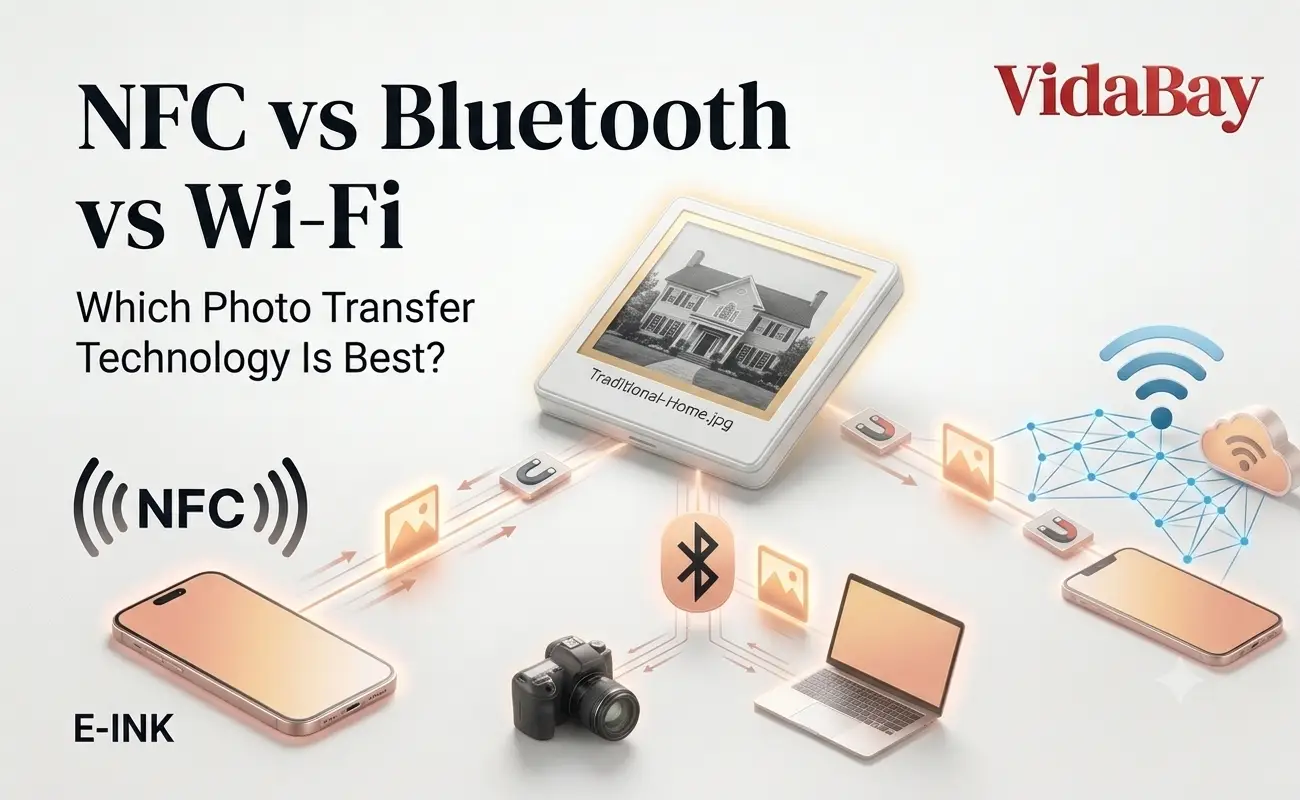
You’ve got a photo on your phone and a screen you want it on — a fridge magnet, a digital frame, a dock in the hallway. Three wireless options usually show up: NFC, Bluetooth, and Wi-Fi. They all move the same photo, but they don’t move it the same way, and picking the wrong one is why “just send it over” sometimes takes ten minutes instead of ten seconds.
This isn’t a spec sheet exercise. It’s about matching the transfer method to what you’re actually doing: gifting a photo magnet to your mom, syncing a frame full of vacation shots, or getting a picture onto a device with no Wi-Fi in sight.
Key Takeaways
- NFC is a tap-and-done method for single photos, works without pairing or an internet connection, and can even power tiny battery-free e-ink displays.
- Bluetooth handles medium file transfers over a room’s width, no network required, and bridges compatibility gaps between phones.
- Wi-Fi is built for volume — full albums, cloud sync, multi-device setups — and needs a network to do it.
- There’s no single winner. The right choice depends on distance, file count, and whether your device even has a battery to spare.
What’s the Actual Difference?
NFC, Bluetooth, and Wi-Fi are all short-range wireless protocols, but they were built for different jobs. NFC handles tiny, instant exchanges at near-zero distance. Bluetooth trades some speed for a longer paired connection. Wi-Fi trades simplicity for raw throughput. For photo transfer specifically, that translates into three very different everyday experiences.
NFC vs Bluetooth vs Wi-Fi at a Glance
| NFC | Bluetooth | Wi-Fi | |
| Range | Under 4 cm | Up to ~10 m | Up to ~50 m (or anywhere, via cloud) |
| Setup | Tap, no pairing | Pair once | Network login |
| Speed for one photo | Near-instant | A few seconds | Near-instant |
| Best for | Single photo, gifting | A handful of photos, offline | Full albums, remote sync |
| Needs internet? | No | No | Usually yes |
| Powers the receiving device? | Yes, in NFC-harvesting displays | No | No |
How Each One Actually Moves a Photo
NFC: tap and it’s there
NFC works through a small antenna coil that activates the moment two compatible surfaces touch. There’s no menu to open on the receiving end — the tap itself starts and finishes the exchange. That’s why it’s the method behind tap-to-pay and, more recently, behind battery-free e-ink photo displays. Our guide on how NFC-powered e-ink displays work breaks down the antenna side of this in more depth.
The interesting part is power. NFC doesn’t just send data — in devices built around it, the same tap also supplies the tiny burst of electricity needed to redraw the screen. That’s power harvesting, and it’s the reason some e-ink magnets never need a battery or a charging cable at all.
Bluetooth: paired and patient
Bluetooth needs an initial handshake — pairing — but once that’s done, it holds a connection across a room without touching a Wi-Fi network. That makes it useful when NFC’s antenna placement doesn’t line up cleanly, which happens more often on Android phones than on iPhones simply because manufacturers put the chip in different spots. If you’ve ever had a tap not register, our phone case NFC interference piece covers why. Bluetooth docks exist largely to route around exactly that problem — see our Android Bluetooth dock guide for the specifics.
Wi-Fi: built for volume
Wi-Fi is the only one of the three built to move dozens of photos, not one. It’s what powers cloud-connected frames that pull new pictures automatically, and it’s the right call whenever you’re syncing more than a handful of images or managing a shared family album remotely. Its tradeoff is that you need a working network — no router, no transfer.
Real-World Use Cases
- Gifting a photo instantly: tap a phone to an NFC e-ink magnet at a birthday dinner, no app fumbling in front of the recipient.
- No Wi-Fi available: a Bluetooth-paired dock still works in a basement, a hotel room, or anywhere the router doesn’t reach.
- Full album sync: a Wi-Fi frame on a shelf that quietly refreshes with new photos from a shared cloud folder.
- Sending to Grandma: a pre-loaded NFC magnet that displays one photo permanently, no setup required on her end at all.
Best Practices for Choosing
- Pick NFC when you’re sending one photo and want zero setup on the receiving end.
- Pick Bluetooth when you need a working connection with no network and the receiving device supports pairing.
- Pick Wi-Fi when you’re sending many photos, want remote updates, or the device syncs from the cloud.
- Check how long photo transfer actually takes for each method before assuming one is always faster — file size and connection quality both matter more than raw specs.
Common Challenges and Fixes
| Problem | Likely cause | Fix |
| NFC tap doesn’t register | Thick case or metal in the way | Remove the case, check chip placement — see our iPhone NFC chip location guide |
| Bluetooth won’t pair | Devices out of range or already paired elsewhere | Forget and re-pair; our pairing guide walks through it |
| Photo won’t transfer at all | App permissions or a stuck connection | Restart the app first — see troubleshooting fixes |
| Wi-Fi transfer stalls | Weak signal or network congestion | Move closer to the router or switch to Bluetooth for that one photo |
Where This Is Heading
NFC’s biggest shift in 2026 isn’t speed — it’s power. NFC-powered e-ink screens, developed alongside display makers like E Ink Corporation, can now redraw an image using nothing but the energy from a phone’s tap. That’s a genuinely new category, distinct from older Wi-Fi frames or the discontinued Android Beam, and it’s why more accessories are showing up with no battery compartment at all.
The other shift is compatibility. As more Android phones ship with NFC chips in different locations, expect more products to pair NFC for iPhone with a companion Bluetooth dock for Android, rather than assuming one antenna standard fits every phone. The NFC Forum — the body that sets these interoperability standards — has been pushing manufacturers toward more consistent chip placement, but until that settles, dual-protocol accessories are the practical answer.
Frequently Asked Questions
Does NFC drain my phone’s battery when transferring a photo? Barely. NFC uses a fraction of the power Bluetooth or Wi-Fi need, since the exchange lasts a second at most.
Can I send a photo over NFC without an app? Usually no — most NFC photo transfers, including e-ink magnets, need a companion app to select and format the image first.
Why doesn’t NFC tap-to-share work the same on every Android phone? Manufacturers place the NFC antenna in different spots on the back of the phone, so alignment varies by model in a way it doesn’t on iPhone.
Is Wi-Fi always faster than Bluetooth for photos? Not for a single image — NFC and Wi-Fi are both near-instant for one photo. Wi-Fi’s advantage shows up once you’re sending many files at once.
Do I need Wi-Fi to use an e-ink photo magnet at all? No. NFC-powered displays work with a tap and no network connection whatsoever.
Is NFC or Bluetooth more secure for personal photos? NFC’s few-centimeter range makes casual interception far harder than with Bluetooth, which broadcasts across a room.
The Verdict
None of these technologies is objectively “better” — they’re built for different distances and different jobs. NFC wins on simplicity and even powers the display itself. Bluetooth wins when there’s no network and phones need a bridge. Wi-Fi wins on volume. If you’re choosing a photo display for a gift, a fridge, or a shared family space, start with how many photos you’re sending and whether the recipient wants any setup at all — that answer usually picks the protocol for you. For a closer look at how these tradeoffs play out in an actual product, see our e-ink fridge magnet buying guide.