
How NFC-Powered E-Ink Displays Work (No Battery Explained)

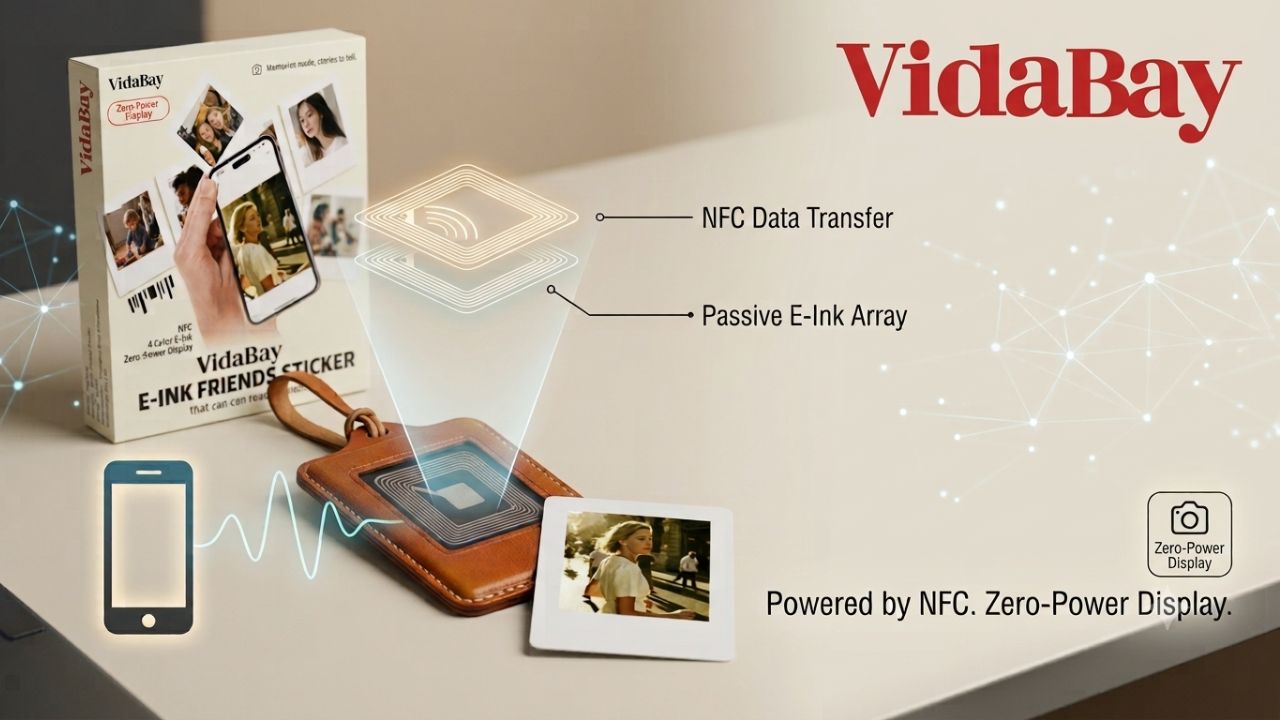
There’s a photo stuck to my fridge. It has shown the same picture for three months, and it has no battery, no cable, and no power button. Tap it with a phone and the picture changes. Then the phone leaves, and the image just stays.
That’s an NFC-powered e-ink display. It borrows a quick sip of power from your phone to change what’s on screen, then holds that image using no electricity at all. Here’s exactly how that works, and what to expect if you buy one.
Key takeaways
- An NFC e-ink display has no battery. Your phone supplies power wirelessly for a second or two during each update.
- E-ink is bistable: it draws power only to change the image, never to hold it. That’s why the picture survives with the phone gone.
- No Wi-Fi, Bluetooth, cloud account, or charging is needed on the device itself.
- Recent iPhones (13–17) tap most reliably; some Android phones need a little more aim.
- Fewer batteries means less e-waste, which is a real part of the eco appeal.
What is an NFC-powered e-ink display?
It’s a small screen—often shaped like a fridge magnet or a keychain—that shows an image using electronic ink instead of glowing pixels. “NFC-powered” means it draws its electricity from the same near-field communication chip your phone already uses for contactless payments.
Put the two together and you get a display with no battery and no wires. You update it by tapping your phone against it, the way the VidaBay Snap works as a photo magnet.
How it works: two “engines,” no battery
The trick isn’t one clever part. It’s two, working in sequence.
1. Your phone powers the update
NFC runs on a radio frequency of 13.56 MHz. Hold your phone close and it creates a small, invisible magnetic field. A thin copper coil hidden inside the display sits in that field and turns it into a trickle of electricity—the same principle as a wireless charger, just far gentler.
This is called energy harvesting. The amount is tiny: a burst under about 20 milliwatts, lasting a second or two. It’s enough to redraw the screen once, and nowhere near enough to drain your phone.
2. E-ink holds the image with zero power
The screen is packed with millions of microcapsules, each about the width of a human hair. Inside float charged pigment particles—black, white, and a couple of colors—suspended in clear fluid. The medium was pioneered by E Ink Corporation, whose electronic ink now runs everything from Kindles to shop shelf labels.
A short electrical pulse pulls the right particles to the surface to form your picture. Then the particles simply stay put. Engineers call this bistable: the ink has two resting states, and holding either one costs nothing.
So the question everyone asks—why does changing the image need power but keeping it doesn’t?—has a simple answer. Moving the particles takes energy; particles sitting still don’t. Once the picture is set, you could leave it on a shelf for years. E-ink also needs no backlight, which is why the screen never glows.
What happens when you tap: step by step
- Pick a photo or note in the companion app.
- Hold your phone flat against the display.
- The phone powers the screen and sends the image over NFC.
- The particles rearrange—you’ll see a quick flash as the screen clears itself.
- The image locks in. Move your phone away, and it stays.
The whole thing takes a few seconds.
Does it work with my phone? iPhone vs Android
The device itself needs no Wi-Fi, Bluetooth, or internet—only a phone with NFC.
iPhone is the smooth path. Every iPhone from the 13 to the 17 keeps its NFC antenna in the same spot near the top edge, so tapping is consistent. If you’re unsure, check the iPhone compatibility guide.
Android works too, but the NFC coil sits in a different place on almost every model, so aim matters more. To smooth this over, some products offer a Bluetooth transfer dock that widens support without adding a battery to the display.
One common snag: a thick or metal-backed phone case can block the signal. A thin case usually fixes it.
What these displays can (and can’t) show
E-ink uses colored particles, not backlit pixels, so its palette is limited. Many panels—including the E Ink Spectra 3100 used in photo magnets—carry black, white, red, and yellow particles. There is no blue particle, which is exactly why blues won’t appear in your photo.
That is changing fast. Newer E Ink Spectra 6 panels add blue and green.
For now, simple, high-contrast images look best. Fine detail and soft gradients don’t survive the low resolution. And the flash you see during an update is normal—it clears old “ghost” images before drawing the new one.
NFC e-ink vs. the alternatives
Where does a battery-free magnet sit against the things it replaces? Here’s the quick version, with a deeper breakdown if you’re weighing it against a digital photo frame.
| NFC e-ink magnet | Digital photo frame | Printed photo | |
| Power source | None (phone tap) | Wall power or battery | None |
| Image when off | Stays for years | Blank | Stays |
| How you update it | Tap your phone | App, USB, or Wi-Fi | Reprint |
| Color | Limited palette | Full color | Full color |
| Best for | Set-and-forget photos, gifts | Rotating slideshows | Permanent keepsakes |
Is it safe, private, and eco-friendly?
Safety. NFC is a low-power, short-range radio standard regulated by agencies like the U.S. FCC and defined by the NFC Forum. It’s the same technology behind tap-to-pay. It won’t harm your phone or overheat, and as a consumer product it carries a standard warranty.
Privacy. The image travels directly between your phone and the magnet across a few centimeters. Nothing routes through a cloud server or requires an account on the device, so your photos stay on your devices.
Sustainability. No battery means no lithium to mine and nothing to leak into a landfill later—which sidesteps the disposal and materials rules that govern battery-powered gadgets, like the EU’s WEEE and RoHS directives. A reusable display also replaces a stream of printed photos that fade and get reprinted. For EU buyers, VidaBay covers the small €3 customs fee, so there’s no surprise at the door.
Practical ways to use one
- A rotating family photo on the fridge, swapped whenever the mood strikes
- A weekly meal plan or grocery list that never needs charging
- Your kid’s latest drawing, displayed now and updated next week
- A long-distance gift a grandparent can update themselves
- A desk nameplate or a quiet reminder at the office
Because there’s nothing to plug in, you can move it anywhere and it keeps working.
Common issues, quickly solved
| Issue | Fix |
| Tap won’t transfer | Re-aim over the NFC spot and remove a thick case — more fixes here |
| Colors look off, or no blue | Choose high-contrast images; the panel simply has no blue particle |
| Fussy on Android | Use the Bluetooth dock, or hold the phone flatter and steadier |
Where the technology is heading
Color e-ink is getting richer. Spectra 6 already adds blue and green, and full-color e-paper is close behind. NFC is improving too: the newest standard widens the tap range and lets a single tap trigger more than one action. Expect battery-free displays to spread from store shelves into more corners of the home.
Frequently asked questions
Does an NFC e-ink display really have no battery? Yes. There is no battery and no charging port. Your phone supplies a small amount of power over NFC just long enough to change the image, and the e-ink holds that image afterward with no power at all.
Will tapping it drain my phone? No. One update pulls a few milliwatts for a second or two—less than glancing at a bright screen. It’s the same kind of energy transfer your phone already uses for contactless payments.
Do I need Wi-Fi or an app account? The display needs neither. You choose the image in a phone app and tap to send it. Nothing on the magnet connects to the internet or stores your data in a cloud.
Why won’t it show the color blue? Because it uses pigment particles, not light. A four-color panel holds black, white, red, and yellow—there is no blue particle to bring to the surface. Newer panels are adding blue and green.
How long does the image last? On true e-ink, effectively indefinitely—months or years—until you decide to change it. The image survives being unplugged, dropped, or tucked in a drawer.
Can someone else update it if I give it as a gift? Yes. Anyone with a compatible phone and the app can change the photo as often as they like, which is a big reason it works so well as a reusable gift.
The bottom line
An NFC e-ink display splits one job into two: your phone changes the picture, and the ink keeps it—neither part needing a battery. The result is a screen you never charge and rarely think about, sitting quietly on the fridge.
The palette is still modest and Android tapping can be fussy, though both are improving with each generation. If you’d like to see it in person, the VidaBay Snap is an easy place to start.