The relationship between PPI and resolution on e-ink displays
When you look at an e-ink display, you will often see two numbers: the resolution (for example, 400×400) and a PPI figure (for example, 212). These two are closely related, but they are not the same thing. Here is how they work together.
What is resolution?
Resolution tells you how many pixels the image contains. A 400×400 image has 400 pixels across and 400 pixels down, for 160,000 pixels in total. Resolution is about the amount of pixel data, nothing more.
What is PPI?
PPI stands for Pixels Per Inch. It tells you how many of those pixels fit into one physical inch of the screen. PPI is what determines how sharp the image actually looks to your eye. The higher the PPI, the finer and clearer the picture appears.
The key formula: PPI = resolution ÷ physical size
PPI is not an independent number. It is the result of two factors:
PPI = (number of pixels along one edge) ÷ (physical length of that edge in inches)
This is why PPI and resolution must be read together with screen size.
Same resolution, different screen size
The same 400×400 image will look completely different depending on the panel size:
On a 1.89-inch square screen: 400 ÷ 1.89 ≈ 212 PPI → the image looks sharp.
On a 3-inch square screen: 400 ÷ 3 ≈ 133 PPI → the same image looks grainier.
The pixel data is identical in both cases. Only the physical size changed, and that changed the PPI and the perceived sharpness.
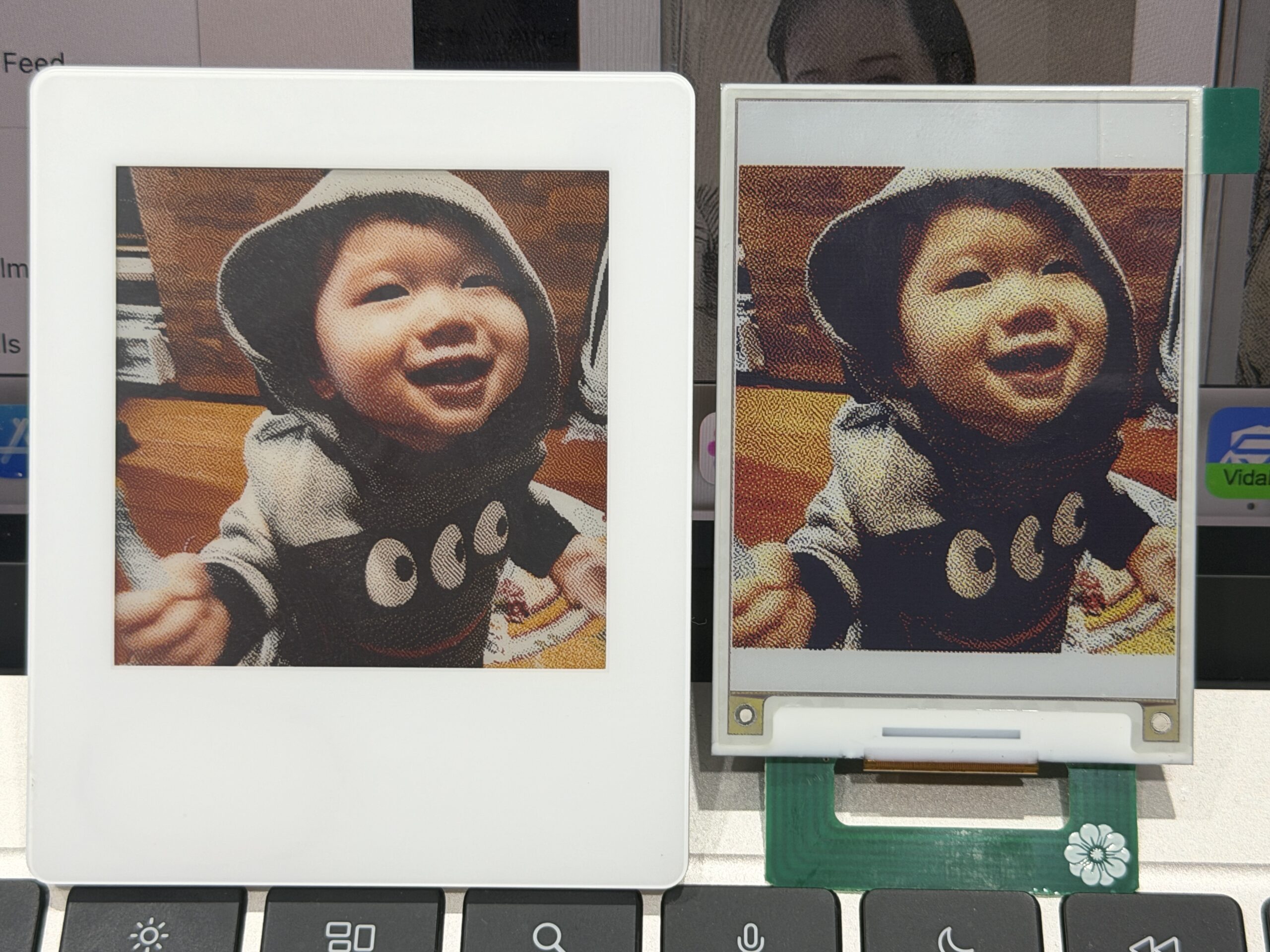
A real example: high-PPI display quality on VidaBay Snap
VidaBay Snap is designed around a high-PPI color e-ink panel, which is what makes its display quality stand out. Because it packs a high number of pixels into a compact surface, photos render with fine detail, smooth colour transitions, and crisp text — the kind of sharpness you expect from a small, battery-free photo display.
This high-level display quality comes with a trade-off worth understanding. A high-PPI panel has far more pixel cells to drive, so refreshing the whole screen requires more energy. This is why VidaBay Snap's image update can be more demanding on power than low-PPI e-ink screens, which have fewer pixels and refresh faster on less energy.
In short, the high-PPI design is exactly what gives Snap its refined picture quality — and also what makes its energy requirement higher than simpler e-ink panels.
The takeaway
Resolution tells you how much pixel data an image has.
PPI tells you how densely those pixels are packed per inch.
PPI = resolution ÷ screen size. If you fix the resolution, a larger screen means lower PPI and a less crisp image; a smaller screen means higher PPI and a sharper image.
To evaluate any e-ink display, always look at resolution and physical size together — PPI on its own only makes sense when you know the panel dimensions.
High-PPI panels like VidaBay Snap deliver noticeably higher display quality, at the cost of needing more energy to refresh.